
 中文
中文 English
Drag all the files you want to upload here, then have a cup of coffee. ʅ(´◔౪◔)ʃ
Upload Your Files via 100Market Uploader
100Audio provides a more reliable way for authors to upload. You can use 100Market uploader to upload files over 100MB now.
How to use (BE SURE TO COMPLETE STEP 3):
1. Click here or find 100Market Uploader at the bottom of the upload page, click "upload" or drag files to the dashed box area:
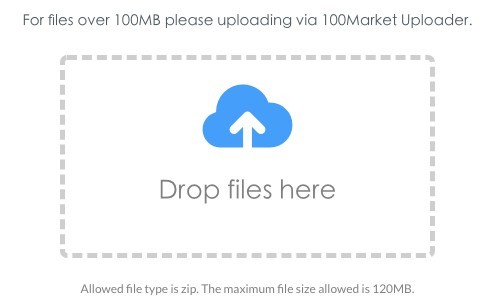
2. The upload process completes upon showing "succeed":
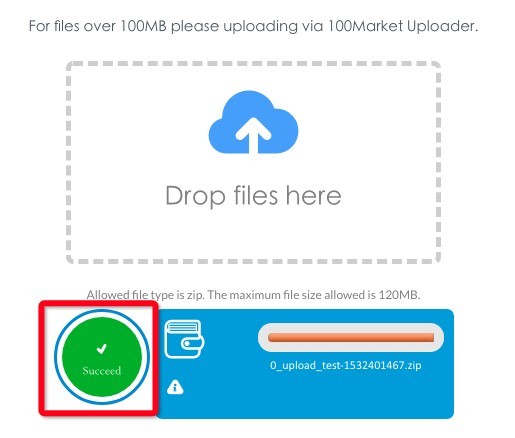
3. Click the "upload" button again, find the file you just uploaded in the media library, select and insert the file address, note that the file name of the uploaded file has changed to the file name shown in step 2:
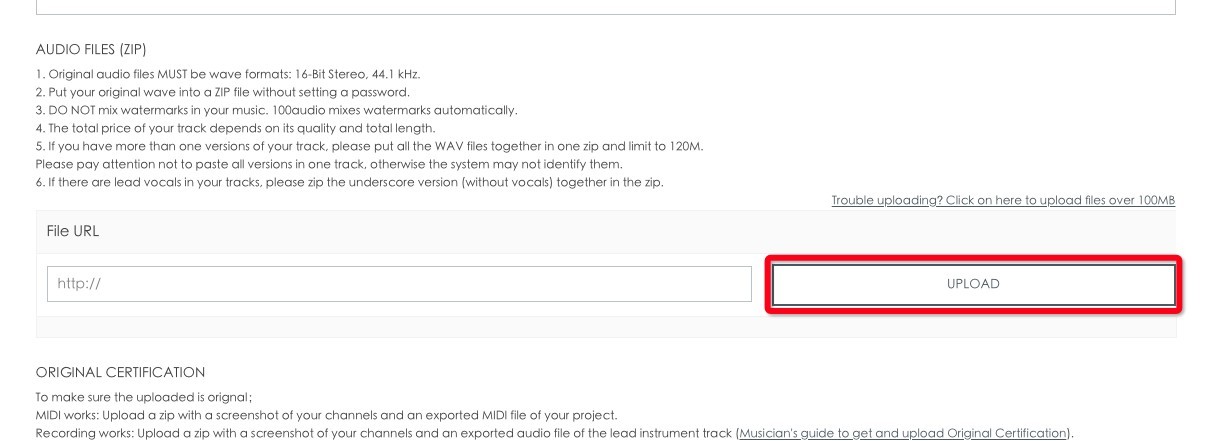
4. Fill in other necessary information and you are ready to submit!
Attention:
① You are able to select or drag several files to 100Market Uploader, but the size limit for a single zip file is still 120MB.
② Your file will not show up in your media library until upload process is completed and "succeed" is shown.
